Web Design

Role:
Personal Project
Time:
3 days
Year:
2026
Overview
Moodio is an AI video creation platform for professional creators. This project redesigns the workflow after a video generation produces an unsatisfactory result.
Creators may encounter inconsistent characters, incorrect motion or camera behavior, or localized visual issues, yet often cannot tell whether the problem originates from the prompt, reference materials, conflicting inputs, or the model itself.
I designed a post-generation editing and diagnostic workflow that helps users identify problems, work with an AI Agent to find possible causes, make precise revisions, and explore alternative strategies when repeated iterations fail.
The Core Problem


Limited editing control
Existing workflows rely heavily on conversational regeneration, with limited support for precise frame-level or region-level editing.
Unclear revision path
When a generation fails, users often do not know whether to adjust the prompt, references, parameters, or model. Different inputs may also conflict with or “contaminate” one another.
Difficult iteration tracking
Comparing multiple generations is cumbersome, making it difficult to understand which change actually improved the result.
User Research
Key Insight
Input conflicts and intent misalignment are major causes of failed generations. For professional creators, the main challenge is not the lack of generation options, but the lack of tools to identify the source of a problem, detect conflicting inputs, and iterate efficiently.

Competitive Analysis

Most competing products improve post-generation control through regional repainting, timeline editing, and layered editing tools. However, few provide dedicated support for diagnosing generation issues or comparing iterations across versions.
From Problems to Design Strategies

Solution: Precise Editing with a Timeline

Frame-Level Revision
A timeline with keyframe positioning allows users to isolate a specific moment or time range for revision, reducing the need to regenerate an entire shot because of a localized issue.
This improves both editing precision and perceived control.
Solution: Region-Based Editing
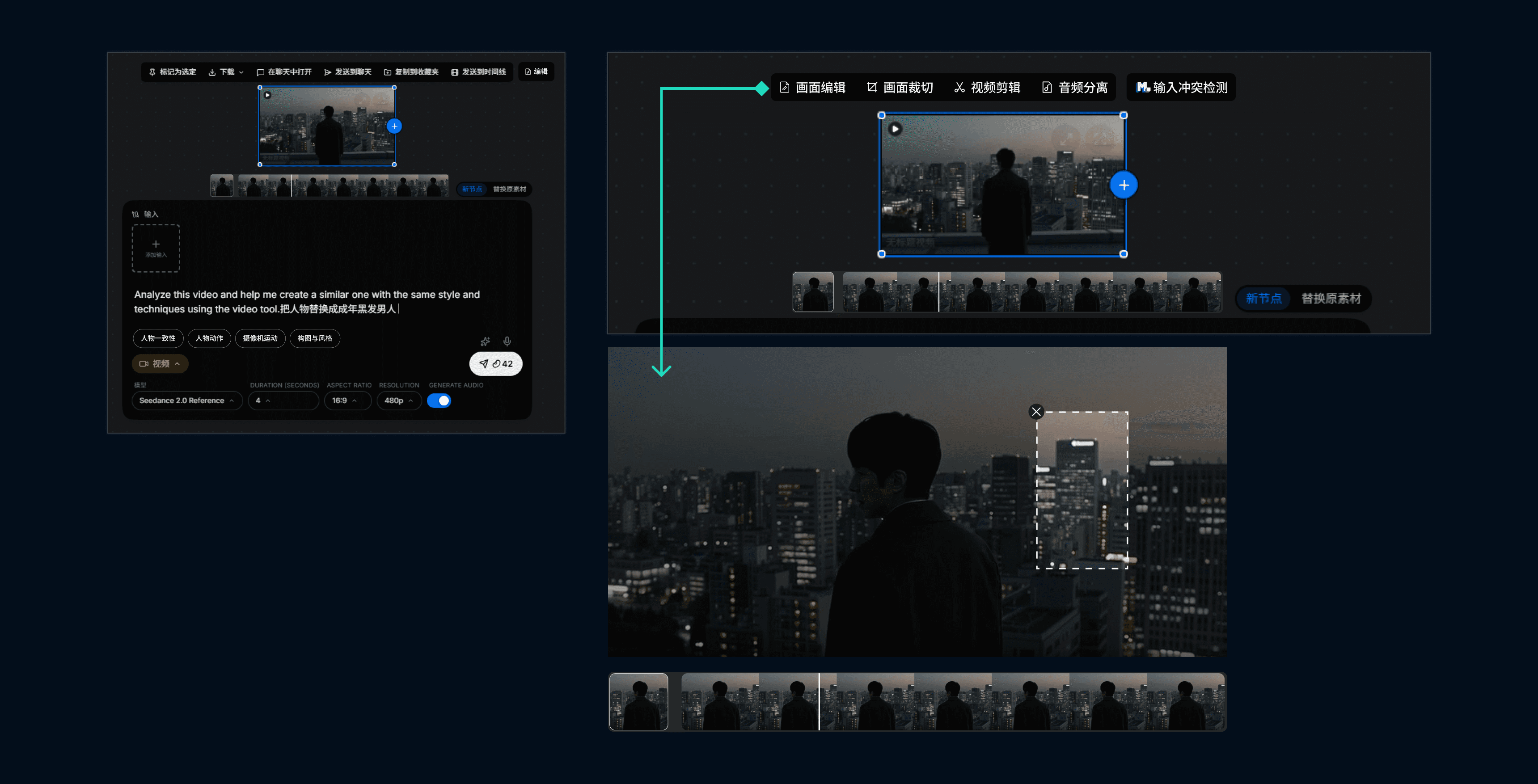
Users can select or mask a specific area of the frame and regenerate only the problematic region.
This makes revisions more targeted, efficient, and controllable without unnecessarily affecting the rest of the shot.
Solution: AI-Guided Issue Diagnosis

Guided Diagnosis
When creators know a shot feels wrong but cannot clearly describe why, the AI assistant suggests potential issue categories and asks follow-up questions to progressively narrow down the problem.
It transforms ambiguous feedback into actionable editing directions.
Adaptive Strategy Suggestions
If repeated revisions fail to improve the result, the assistant suggests alternative approaches instead of encouraging another blind regeneration.
Solution: Input Conflict Detection

Solution: Multi-Version Synchronized Comparison

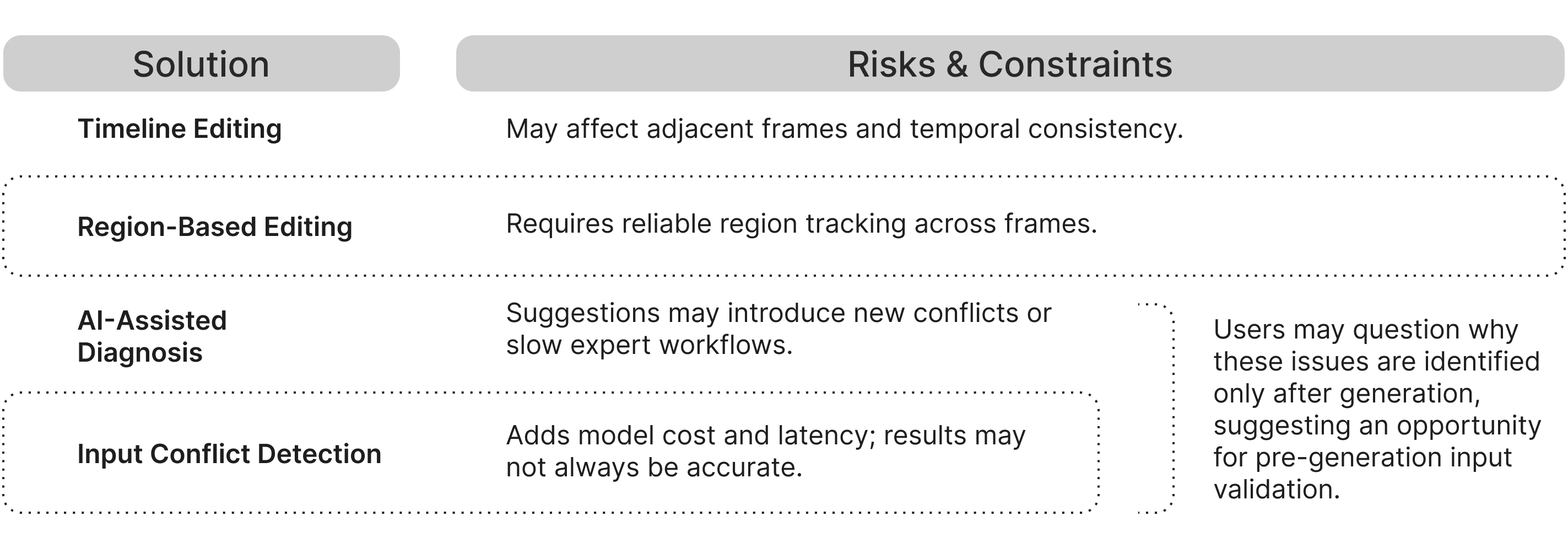
Design Risks & Implementation Considerations